Beyond REST: Understanding 10 Ways Modern Applications Communicate
REST is only one way for applications to communicate. A practical look at REST, GraphQL, gRPC, WebSockets, SSE, Webhooks, SOAP, MQTT, Long Polling and WebRTC, with real-world JavaScript examples, trade-offs, and guidance on when each approach makes sense.
REST is usually the first thing that comes to mind when someone says "API."
The frontend sends an HTTP request. The backend does some work. JSON comes back. Done.
And for a lot of applications, that's perfectly fine.
Things get more interesting once the system grows.
Maybe the browser needs live notifications. Another backend service needs to make thousands of small calls with very little overhead. A payment provider needs to tell us that something happened. IoT devices need to send measurements over unreliable networks. Two browsers might even need to exchange video without routing every frame through our application server.
Suddenly, GET /api/users doesn't cover every problem.
There are quite a few ways for applications to talk to each other:
- REST
- GraphQL
- gRPC
- WebSockets
- Server-Sent Events
- Webhooks
- SOAP
- MQTT
- Long Polling
- WebRTC
They're often grouped together as "API styles", although that's a loose definition. REST and GraphQL aren't the same kind of thing as MQTT or WebRTC. Some are architectural styles, some are protocols, and others are communication patterns.
I still find it useful to look at them together.
They all answer roughly the same question:
How should information move from one part of a system to another?
And the answer depends heavily on what those two parts need from each other.
Before choosing anything, think about the communication itself
Before comparing technologies, I find it easier to ask a few simpler questions.
Who starts the conversation?
Does the client always ask for something first, or does the server sometimes need to send information on its own?
How long should the connection live?
A REST request might exist for 80 milliseconds. A WebSocket connection could stay open for several hours.
Does information move in one direction or both?
SSE is mostly server to client. WebSockets work both ways. MQTT doesn't really care about either because publishers and subscribers communicate through a broker.
Does the caller need an immediate answer?
When an order service asks an inventory service whether an item is available, probably yes.
When Stripe tells our application that a payment succeeded, no request from our application is waiting for that information.
And finally, who are the participants?
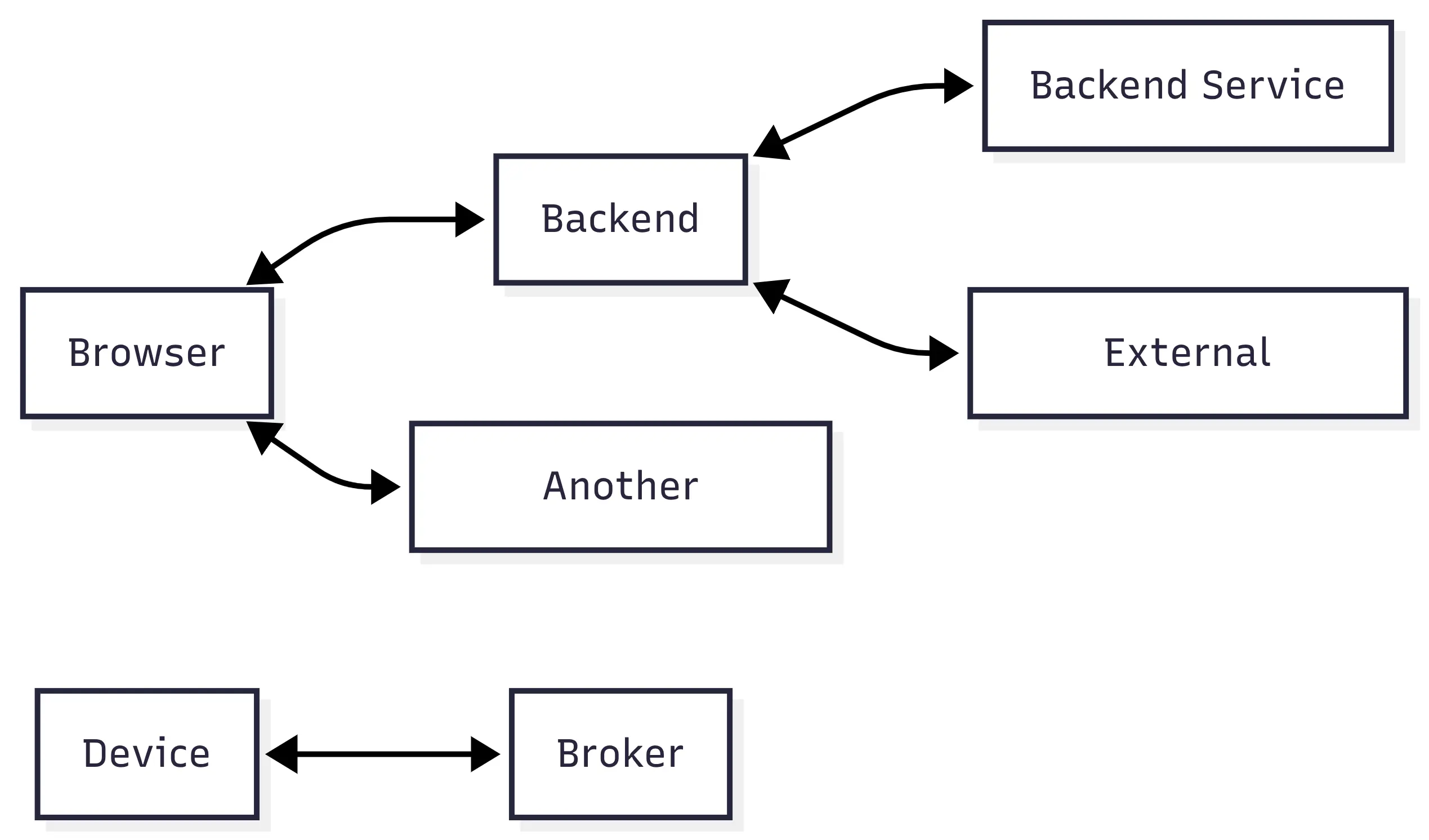
Those differences matter more than whether one technology happens to be newer than another.
With that in mind, let's look at the ten approaches.
1. REST
REST is the boring choice.
That's often a compliment.
A browser sends an HTTP request to a resource, the server processes it, and the server sends back a response.
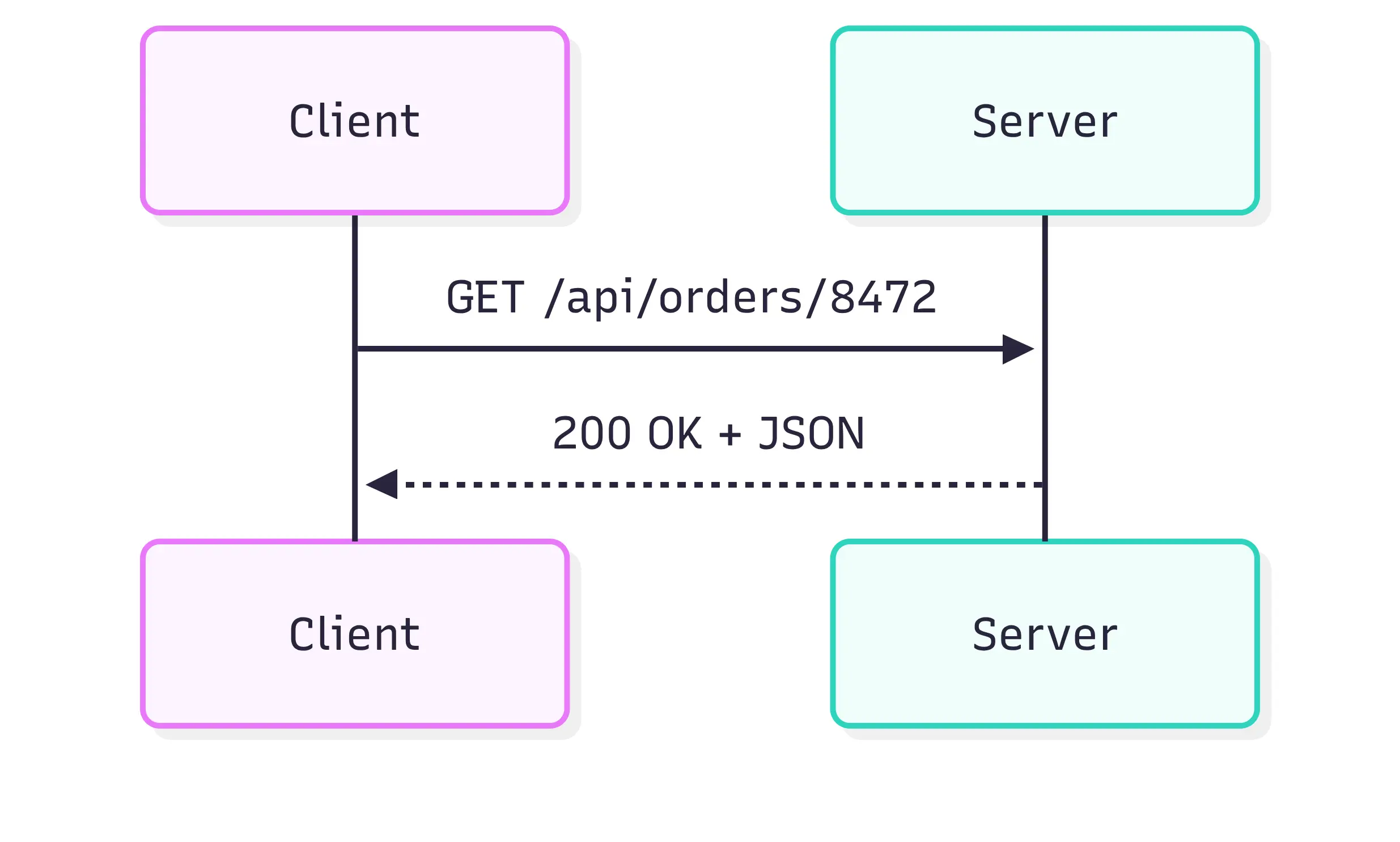
Most web developers already work with this model every day.
Let's use an actual checkout flow instead of another /users example.
Imagine an online shop. When the customer finishes checkout, the frontend creates an order.
async function createOrder(cart, shippingAddress) {
  const response = await fetch('/api/orders', {
    method: 'POST',
    headers: {
      'Content-Type': 'application/json',
    },
    body: JSON.stringify({
      items: cart.map(item => ({
        productId: item.id,
        quantity: item.quantity,
      })),
      shippingAddress,
    }),
  });

  if (!response.ok) {
    throw new Error('Could not create the order');
  }

  return response.json();
}
The request might look like this:
{
  "items": [
    {
      "productId": "keyboard-keychron-q1",
      "quantity": 1
    },
    {
      "productId": "switches-gateron-brown",
      "quantity": 2
    }
  ],
  "shippingAddress": {
    "country": "GR",
    "city": "Athens",
    "postalCode": "10558"
  }
}
On a Node.js backend using Express:
app.post('/api/orders', async (req, res) => {
  const { items, shippingAddress } = req.body;

  const products = await productRepository.findByIds(
    items.map(item => item.productId)
  );

  const order = await orderService.create({
    items,
    products,
    shippingAddress,
  });

  res.status(201).json({
    id: order.id,
    status: order.status,
    total: order.total,
    createdAt: order.createdAt,
  });
});
Later, the frontend can retrieve it:
const response = await fetch('/api/orders/8472');
const order = await response.json();
Or cancel it:
await fetch('/api/orders/8472/cancellation', {
  method: 'POST',
});
REST works particularly well when the domain maps naturally to resources.
GET    /api/products
GET    /api/products/42
POST   /api/orders
GET    /api/orders/8472
PATCH  /api/orders/8472
DELETE /api/saved-items/991
HTTP already gives us a lot.
Status codes describe what happened. Headers carry metadata. HTTP caching can reduce repeated work. Proxies and CDNs understand the protocol.
There are some subtleties, though.
Idempotency matters
Suppose the customer presses "Pay" and the network dies immediately after the request reaches the server.
The browser doesn't know whether this happened:
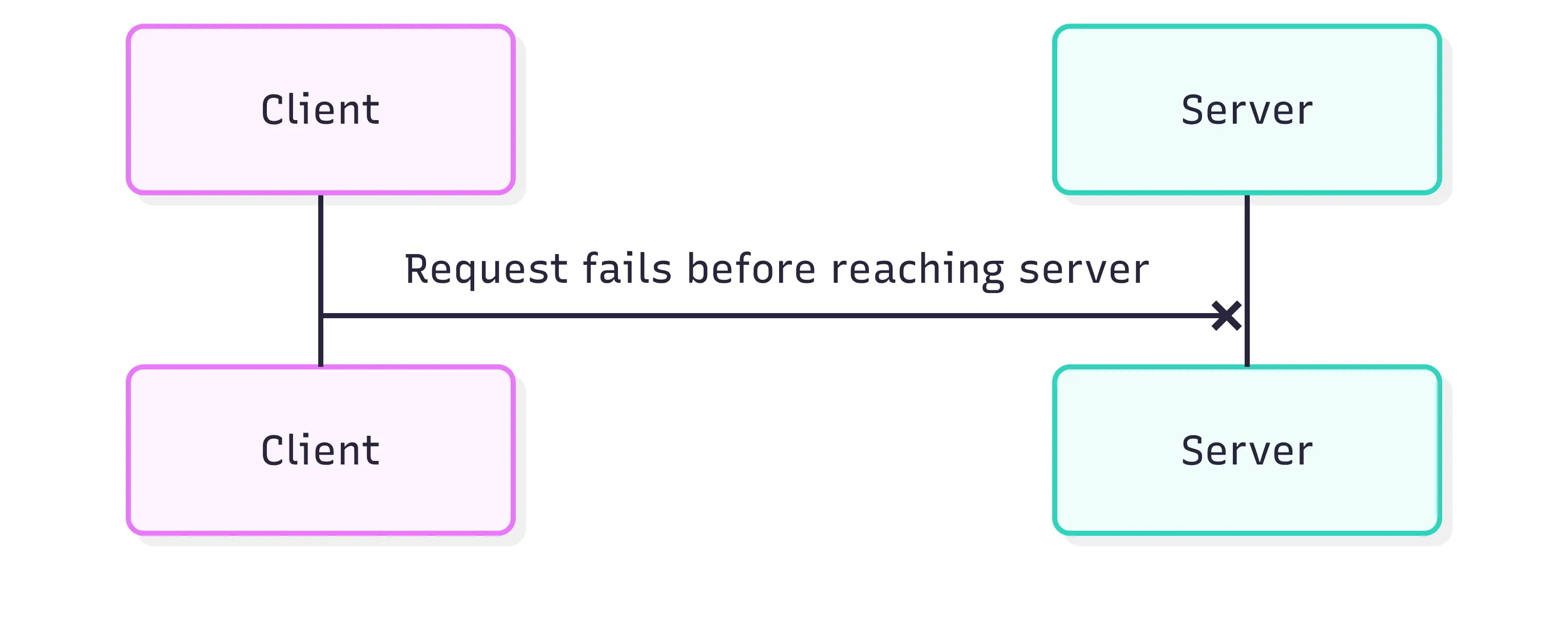
or this:
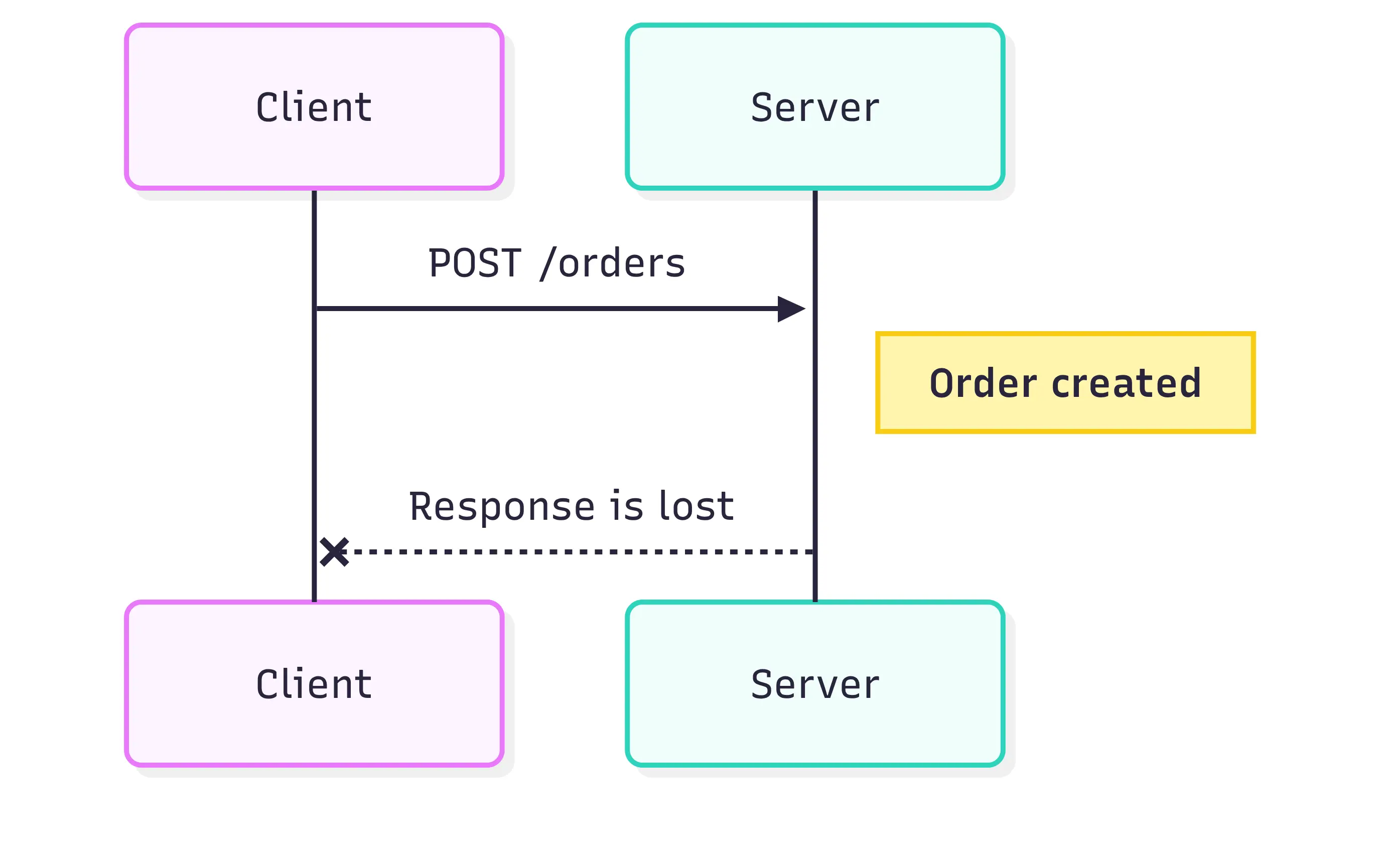
Retrying a POST /orders blindly could create two orders.
Payment and commerce APIs often solve this with an idempotency key.
const idempotencyKey = crypto.randomUUID();

await fetch('/api/orders', {
  method: 'POST',
  headers: {
    'Content-Type': 'application/json',
    'Idempotency-Key': idempotencyKey,
  },
  body: JSON.stringify(order),
});
The server remembers the key. If the same request arrives again, it returns the original result instead of creating another order.
That's the kind of detail that separates "we have a REST endpoint" from an API that behaves well in production.
Where REST starts to hurt
Imagine a product page that needs:
product
reviews
seller
recommendations
current user wishlist state
shipping estimates
You could expose one giant endpoint.
Or the frontend might end up doing this:
await Promise.all([
  fetch(`/api/products/${id}`),
  fetch(`/api/products/${id}/reviews`),
  fetch(`/api/products/${id}/recommendations`),
  fetch(`/api/products/${id}/shipping`),
  fetch(`/api/wishlist/${id}`),
]);
Neither option is automatically bad.
But this is one of the situations that pushed teams toward GraphQL.
2. GraphQL
REST usually says:
Here's the resource.
GraphQL lets the client say:
Here's exactly the information I need.
Imagine we're building a news platform.
The desktop homepage needs:
article
  title
  excerpt
  author
  image
  category
  publication date
The mobile application might only need:
article
  title
  image
With REST, both clients could receive the same representation.
With GraphQL, they can ask for different fields.
The desktop query could look like this:
query Homepage {
  latestArticles(limit: 10) {
    id
    title
    excerpt
    publishedAt

    author {
      name
      avatar
    }

    featuredImage {
      url
      alt
    }

    category {
      name
      slug
    }
  }
}
The mobile client can make a much smaller request:
query Homepage {
  latestArticles(limit: 10) {
    id
    title

    featuredImage {
      url
    }
  }
}
Same API. Different data requirements.
From JavaScript, a request doesn't require a special client library.
async function getHomepageArticles() {
  const response = await fetch('/graphql', {
    method: 'POST',
    headers: {
      'Content-Type': 'application/json',
    },
    body: JSON.stringify({
      query: `
        query Homepage {
          latestArticles(limit: 10) {
            id
            title
            excerpt
            publishedAt
            author {
              name
            }
            featuredImage {
              url
              alt
            }
          }
        }
      `,
    }),
  });

  const { data, errors } = await response.json();

  if (errors) {
    throw new Error(errors[0].message);
  }

  return data.latestArticles;
}
Unlike many REST APIs, GraphQL commonly exposes one endpoint:
POST /graphqlThe query describes what should happen.
The schema becomes the contract
A GraphQL API defines its available types.
type Article {
  id: ID!
  title: String!
  excerpt: String
  publishedAt: String!
  author: Author!
  featuredImage: Image
}

type Author {
  id: ID!
  name: String!
  avatar: String
}

type Query {
  latestArticles(limit: Int = 10): [Article!]!
  article(id: ID!): Article
}
Resolvers connect those fields to actual data.
Using JavaScript:
const resolvers = {
  Query: {
    latestArticles: async (_, { limit }) => {
      return articleRepository.getLatest(limit);
    },

    article: async (_, { id }) => {
      return articleRepository.findById(id);
    },
  },

  Article: {
    author: article => {
      return authorRepository.findById(article.authorId);
    },
  },
};
That looks clean.
There's also a trap hiding in it.
The N+1 problem
Suppose latestArticles returns 20 articles.
The resolver loads those articles with one database query.
Then this runs once for every article:
authorRepository.findById(article.authorId);We may have accidentally created:

Ask for categories and we could add another 20.
GraphQL makes nested data very convenient for clients, but someone still has to fetch that data efficiently.
Tools such as DataLoader batch requests:
const authorLoader = new DataLoader(async authorIds => {
  const authors = await authorRepository.findByIds(authorIds);

  return authorIds.map(
    id => authors.find(author => author.id === id)
  );
});
Then:
const resolvers = {
  Article: {
    author: article => authorLoader.load(article.authorId),
  },
};
Now several author requests can become one database operation.
GraphQL is great when multiple clients need different views of a connected data model.
It isn't automatically a replacement for REST.
For a tiny CRUD API, GraphQL can add schema management, resolver code, query complexity controls and caching problems that simply weren't there before.
Sometimes:
GET /api/articles/42really is all you need.
3. gRPC
Let's move away from browsers for a moment.
Imagine an e-commerce platform split into services.

Before confirming an order, the checkout service needs to ask:
Do we actually have these products?
REST could handle that.
But internal services often make huge numbers of small requests. They also benefit from strict contracts between teams.
This is where gRPC fits well.
gRPC commonly uses Protocol Buffers to describe those contracts.
Our inventory API might define:
syntax = "proto3";

service InventoryService {
  rpc CheckAvailability (AvailabilityRequest)
    returns (AvailabilityResponse);
}

message AvailabilityRequest {
  repeated OrderItem items = 1;
}

message OrderItem {
  string product_id = 1;
  int32 quantity = 2;
}

message AvailabilityResponse {
  bool available = 1;
  repeated UnavailableItem unavailable_items = 2;
}

message UnavailableItem {
  string product_id = 1;
  int32 requested = 2;
  int32 available = 3;
}
Yes, that's not JavaScript.
It's the interface definition used to generate or load the contract. The actual service can still be JavaScript.
Using @grpc/grpc-js:
const grpc = require('@grpc/grpc-js');
const protoLoader = require('@grpc/proto-loader');

const packageDefinition = protoLoader.loadSync(
  './inventory.proto'
);

const inventoryProto =
  grpc.loadPackageDefinition(packageDefinition);
The inventory service might implement:
async function checkAvailability(call, callback) {
  try {
    const productIds = call.request.items.map(
      item => item.productId
    );

    const stock = await inventoryRepository.getStock(productIds);

    const unavailableItems = call.request.items
      .map(item => {
        const available = stock[item.productId] ?? 0;

        if (available >= item.quantity) {
          return null;
        }

        return {
          productId: item.productId,
          requested: item.quantity,
          available,
        };
      })
      .filter(Boolean);

    callback(null, {
      available: unavailableItems.length === 0,
      unavailableItems,
    });
  } catch (error) {
    callback({
      code: grpc.status.INTERNAL,
      message: 'Inventory lookup failed',
    });
  }
}
Then the checkout service can call it:
inventoryClient.checkAvailability(
  {
    items: [
      {
        productId: 'keyboard-keychron-q1',
        quantity: 1,
      },
      {
        productId: 'switches-gateron-brown',
        quantity: 2,
      },
    ],
  },
  (error, response) => {
    if (error) {
      console.error(error);
      return;
    }

    if (!response.available) {
      console.log(response.unavailableItems);
      return;
    }

    createOrder();
  }
);
The interesting part isn't just that this is remote communication.
It feels a lot like calling a function.
inventory.checkAvailability(items);But the function happens to run on another machine.
Why not just use REST?
You absolutely can.
The appeal of gRPC becomes clearer when you have many internal services communicating constantly.
Protocol Buffers use a compact binary representation rather than verbose JSON. HTTP/2 gives gRPC multiplexing and streaming capabilities. The .proto file also acts as a strong contract between services.
That contract matters when different teams own different services.
If someone changes:
string product_idthe change is much harder to casually hide than an undocumented JSON response.
gRPC also supports more than simple request/response calls.
It can do:

That makes it useful for systems where services exchange streams of data.
For a public browser API, though, REST or GraphQL is often simpler. Browsers don't talk to traditional gRPC services as naturally as backend services do, although gRPC-Web exists to bridge that gap.
Inside a service-heavy backend architecture, gRPC becomes much more attractive.
4. WebSockets
Now imagine we're building customer support chat.
Pantelis opens the support widget.
Pantelis: "Where is my order?"The support agent should see that message immediately.
Then:
Agent: "Let me check."Pantelis should receive that immediately too.
We could poll the server every second.
setInterval(async () => {
  const messages = await fetch('/api/chat/messages');
}, 1000);
Please don't do that unless you have a good reason.
Most of those requests will probably return nothing new.
WebSockets change the relationship.
Instead of repeatedly creating HTTP requests, the browser establishes a connection and keeps it open.

Both sides can send messages whenever they need to.
Using the browser API:
const socket = new WebSocket(
  'wss://support.example.com/chat'
);

socket.addEventListener('open', () => {
  socket.send(
    JSON.stringify({
      type: 'join_conversation',
      conversationId: 'conv_83921',
    })
  );
});

socket.addEventListener('message', event => {
  const message = JSON.parse(event.data);

  if (message.type === 'chat_message') {
    renderMessage(message.payload);
  }
});
Sending a message:
function sendMessage(text) {
  socket.send(
    JSON.stringify({
      type: 'chat_message',
      conversationId: 'conv_83921',
      payload: {
        text,
      },
    })
  );
}
On the Node.js side, we can use ws.
import { WebSocketServer } from 'ws';

const wss = new WebSocketServer({
  port: 8080,
});

const conversations = new Map();

wss.on('connection', socket => {
  socket.on('message', rawMessage => {
    const message = JSON.parse(rawMessage.toString());

    if (message.type === 'join_conversation') {
      joinConversation(
        message.conversationId,
        socket
      );

      return;
    }

    if (message.type === 'chat_message') {
      broadcastToConversation(
        message.conversationId,
        message
      );
    }
  });
});
The broadcast function could look roughly like this:
function broadcastToConversation(
  conversationId,
  message
) {
  const clients = conversations.get(conversationId);

  if (!clients) {
    return;
  }

  const payload = JSON.stringify(message);

  for (const client of clients) {
    if (client.readyState === client.OPEN) {
      client.send(payload);
    }
  }
}
For one Node process, this works.
Then Kubernetes gives you five instances.
Things get interesting.
A customer might connect to:
WebSocket Server Awhile the support agent connects to:
WebSocket Server DThe in-memory conversations map on Server A knows nothing about the one on Server D.
We now need some shared messaging layer.
Redis Pub/Sub is one common option.

That's a recurring lesson with real-time systems.
Opening a WebSocket is easy.
Running tens of thousands of persistent connections across several application instances, handling reconnects, authentication, deployment restarts and missed messages is where the actual architecture starts.
5. Server-Sent Events
WebSockets are often the first answer people reach for when they hear "real-time."
Sometimes they're more than you need.
Imagine a user asks our application to generate a large analytics report.
The process might take 45 seconds.
We want to show:
Preparing data...

Processing 12,420 records...

Generating charts...

Uploading report...

Complete.
The browser doesn't need to send messages continuously.
It only needs updates from the server.
That's a good fit for Server-Sent Events, usually shortened to SSE.
The browser starts by creating the report.
const response = await fetch('/api/reports', {
  method: 'POST',
  headers: {
    'Content-Type': 'application/json',
  },
  body: JSON.stringify({
    dateFrom: '2026-01-01',
    dateTo: '2026-07-31',
    format: 'pdf',
  }),
});

const report = await response.json();
Then it subscribes to progress updates.
const events = new EventSource(
  `/api/reports/${report.id}/events`
);

events.addEventListener('progress', event => {
  const progress = JSON.parse(event.data);

  updateProgressBar(progress.percentage);
  updateStatus(progress.message);
});

events.addEventListener('completed', event => {
  const report = JSON.parse(event.data);

  showDownloadButton(report.downloadUrl);

  events.close();
});
The server keeps the HTTP response open.
With Express:
app.get('/api/reports/:id/events', async (req, res) => {
  const reportId = req.params.id;

  res.setHeader('Content-Type', 'text/event-stream');
  res.setHeader('Cache-Control', 'no-cache');
  res.setHeader('Connection', 'keep-alive');

  res.flushHeaders();

  const unsubscribe = reportEvents.subscribe(
    reportId,
    event => {
      res.write(`event: ${event.type}\n`);
      res.write(`data: ${JSON.stringify(event.data)}\n\n`);
    }
  );

  req.on('close', () => {
    unsubscribe();
  });
});
An event sent over the connection looks like:
event: progress
data: {"percentage":42,"message":"Generating charts..."}
Notice the blank line at the end. It separates SSE messages.
Why SSE instead of WebSockets?
Because our communication is:
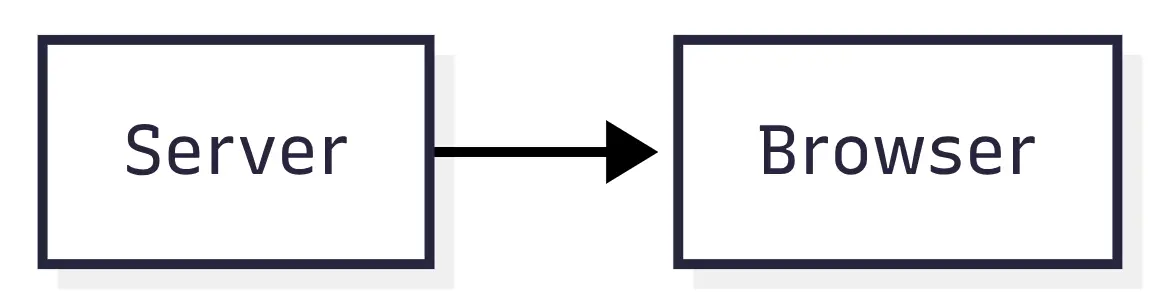
not:
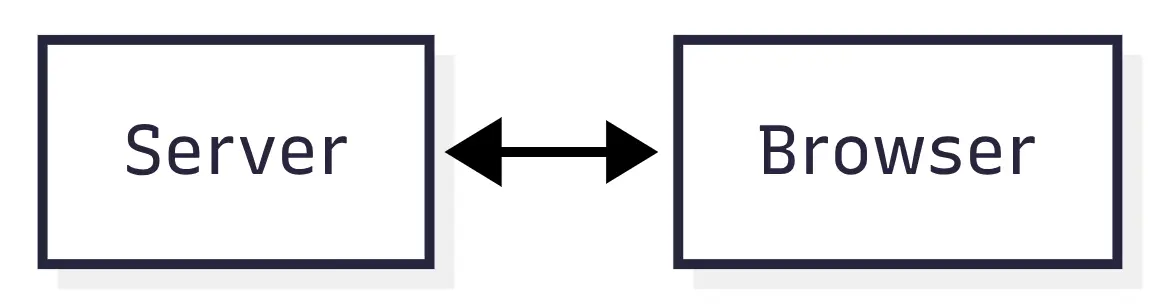
The browser's normal HTTP requests can still handle commands.
POST /reports

DELETE /reports/8392

GET /reports/8392
SSE only handles the stream of updates.
The browser's EventSource implementation also includes reconnect behavior, which is nice when mobile networks decide to disappear for a moment.
SSE isn't the right choice for collaborative editing or multiplayer games. The client needs to send too much real-time information in those cases.
For notifications, progress updates, live dashboards, log streams and AI output, though, SSE can be pleasantly simple.
6. Webhooks
Webhooks reverse the usual API relationship.
Imagine our application integrates with Stripe.
When someone checks out, our backend creates a payment session.
The payment itself might happen later.
The customer could:
- open the checkout,
- enter card details,
- complete 3D Secure,
- close the browser,
- lose internet halfway through the redirect.
We can't rely on the browser telling our backend:
Payment succeeded!The payment provider already knows what happened.
So it tells us.
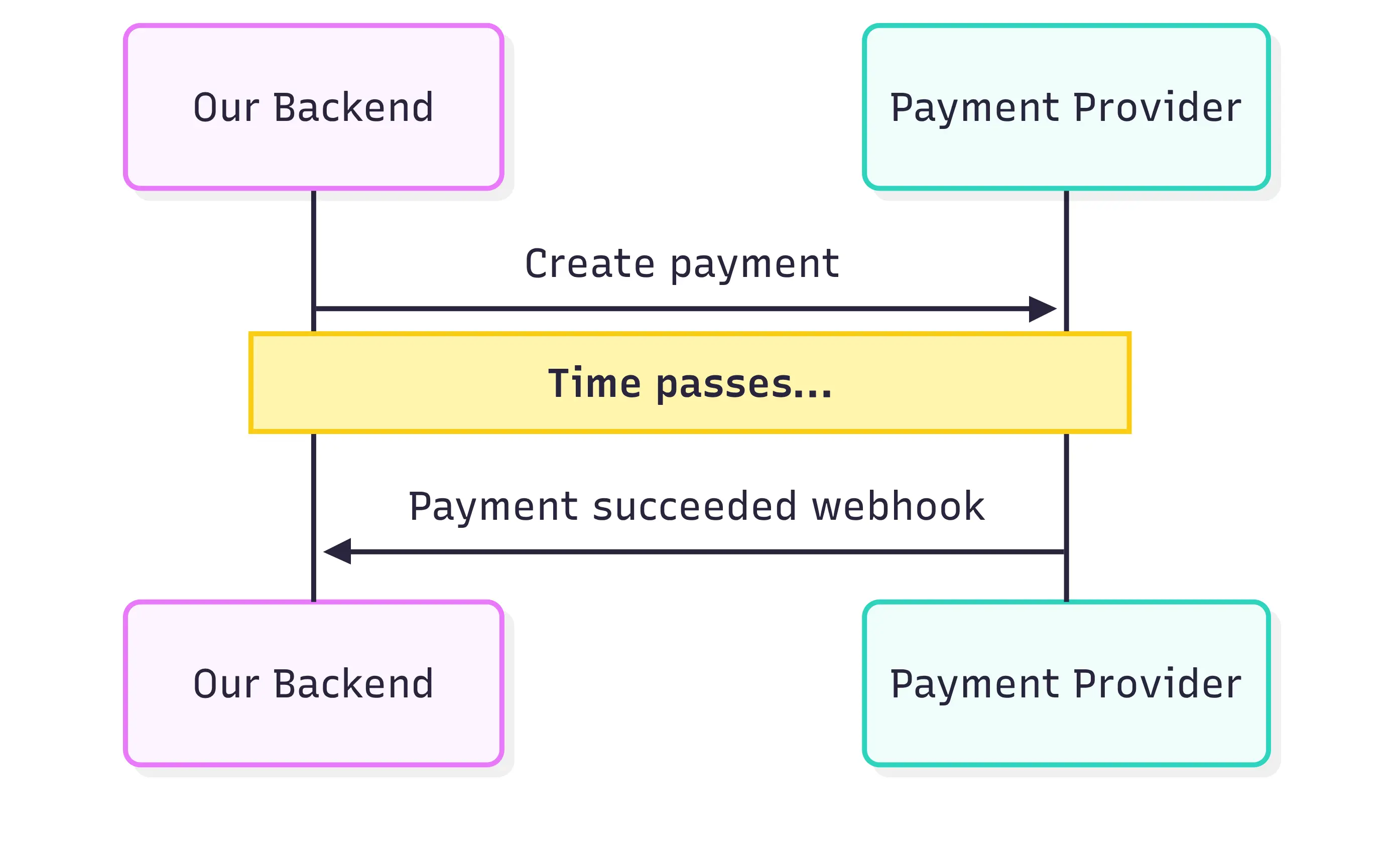
That's a webhook.
Our application exposes an endpoint such as:
POST /webhooks/stripeThe provider sends events to it.
A simplified Express handler might look like this:
app.post(
  '/webhooks/stripe',
  express.raw({ type: 'application/json' }),
  async (req, res) => {
    const signature = req.headers['stripe-signature'];

    let event;

    try {
      event = stripe.webhooks.constructEvent(
        req.body,
        signature,
        process.env.STRIPE_WEBHOOK_SECRET
      );
    } catch (error) {
      return res.status(400).send(
        `Invalid webhook: ${error.message}`
      );
    }

    await webhookQueue.add({
      provider: 'stripe',
      eventId: event.id,
      type: event.type,
      payload: event.data.object,
    });

    res.sendStatus(200);
  }
);
Notice that we don't immediately run twenty database queries and send confirmation emails.
We queue the work.
There's a reason for that.
Respond quickly
Webhook providers usually expect a successful response within some time limit.
If processing takes too long, the provider may assume delivery failed.
Then it retries.
Now our handler could process the same event twice.
Which brings us to another important detail.
Webhooks should be idempotent
Suppose Stripe sends:
evt_839103We process it successfully.
The 200 OK response gets lost.
Stripe retries:
evt_839103If our code blindly processes both requests, we might:
mark order paid
send confirmation email

mark order paid again
send another confirmation email
Nobody wants two "Thanks for your payment" emails five seconds apart.
Store the event ID.
async function processStripeWebhook(event) {
  const alreadyProcessed =
    await webhookRepository.exists(event.id);

  if (alreadyProcessed) {
    return;
  }

  await database.transaction(async transaction => {
    await paymentService.handleEvent(
      event,
      transaction
    );

    await webhookRepository.markProcessed(
      event.id,
      transaction
    );
  });
}
Webhooks are an example of asynchronous communication.
Our server doesn't wait for the event.
It happens whenever the external system has something to tell us.
You'll see this pattern everywhere:
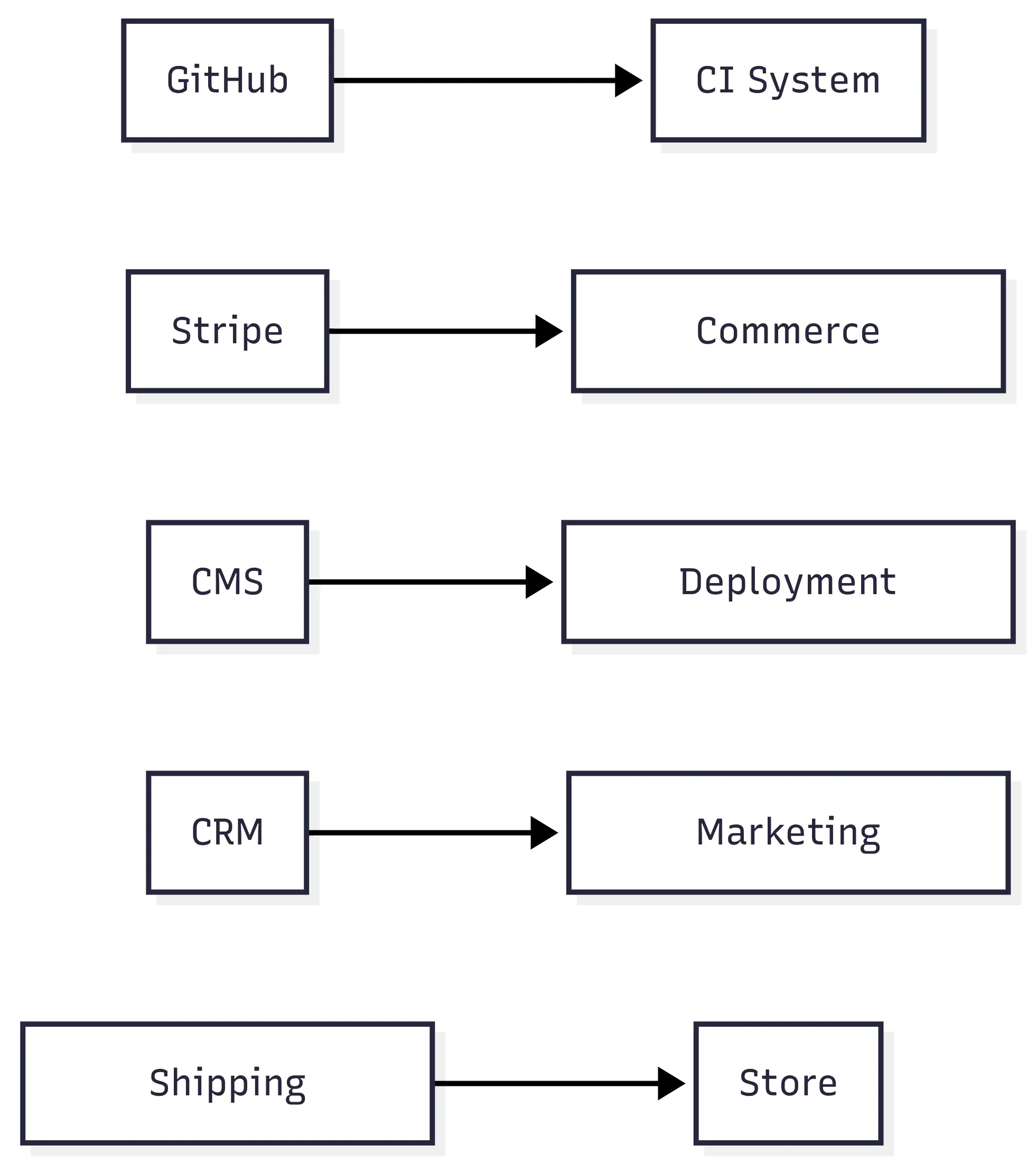
The phrase "Don't call us, we'll call you" is actually a pretty good description.
7. SOAP
SOAP has become the API architecture everyone likes to make fun of.
Then you integrate with a bank.
Or a government service.
Or an enterprise system installed in 2009 that's still responsible for several million euros of transactions.
Suddenly there's a WSDL file sitting in your inbox.
SOAP uses XML messages with a strict structure.
A request might look roughly like this:
<soap:Envelope
  xmlns:soap="http://schemas.xmlsoap.org/soap/envelope/"
  xmlns:pay="http://payments.example.com">
  <soap:Body>
    <pay:GetTransaction>
      <pay:TransactionId>8391204</pay:TransactionId>
    </pay:GetTransaction>
  </soap:Body>
</soap:Envelope>
That's considerably more verbose than:
{
  "transactionId": "8391204"
}
But SOAP was designed for a world where strict service contracts and enterprise interoperability mattered a lot.
JavaScript applications can still consume SOAP services.
Using the soap package:
import soap from 'soap';

const client = await soap.createClientAsync(
  'https://payments.example.com/service?wsdl'
);

const [result] = await client.GetTransactionAsync({
  TransactionId: '8391204',
});

console.log({
  id: result.TransactionId,
  status: result.Status,
  amount: result.Amount,
});
The WSDL describes what operations exist, what parameters they accept and what responses look like.
That strictness isn't necessarily bad.
SOAP also grew an entire family of specifications around enterprise requirements, including things like message security and transactions.
Would I choose SOAP for a new frontend API?
Almost certainly not.
Would I be surprised to find it inside a large bank, insurance company, telecom platform or government infrastructure?
Not at all.
"Legacy" doesn't mean "unused."
Sometimes legacy means:
This has processed financial transactions for fifteen years and nobody wants to be the person who replaces it on Friday afternoon.
That's a perfectly rational concern.
8. MQTT
So far we've mostly talked about browsers and servers.
Now imagine a smart office building.
There are 500 sensors.
Each measures things like:
temperature
humidity
CO2
power usage
Sensor 42 periodically publishes:
23.4°CWho needs that information?
Maybe several systems.
The dashboard wants it.
An alerting system wants it.
The HVAC controller might want it.
A historical data service wants to store it.
Having the device make separate HTTP requests to every consumer would be a mess.
MQTT uses publish/subscribe messaging.
Instead of sending information directly to another application, the device publishes it to a broker.
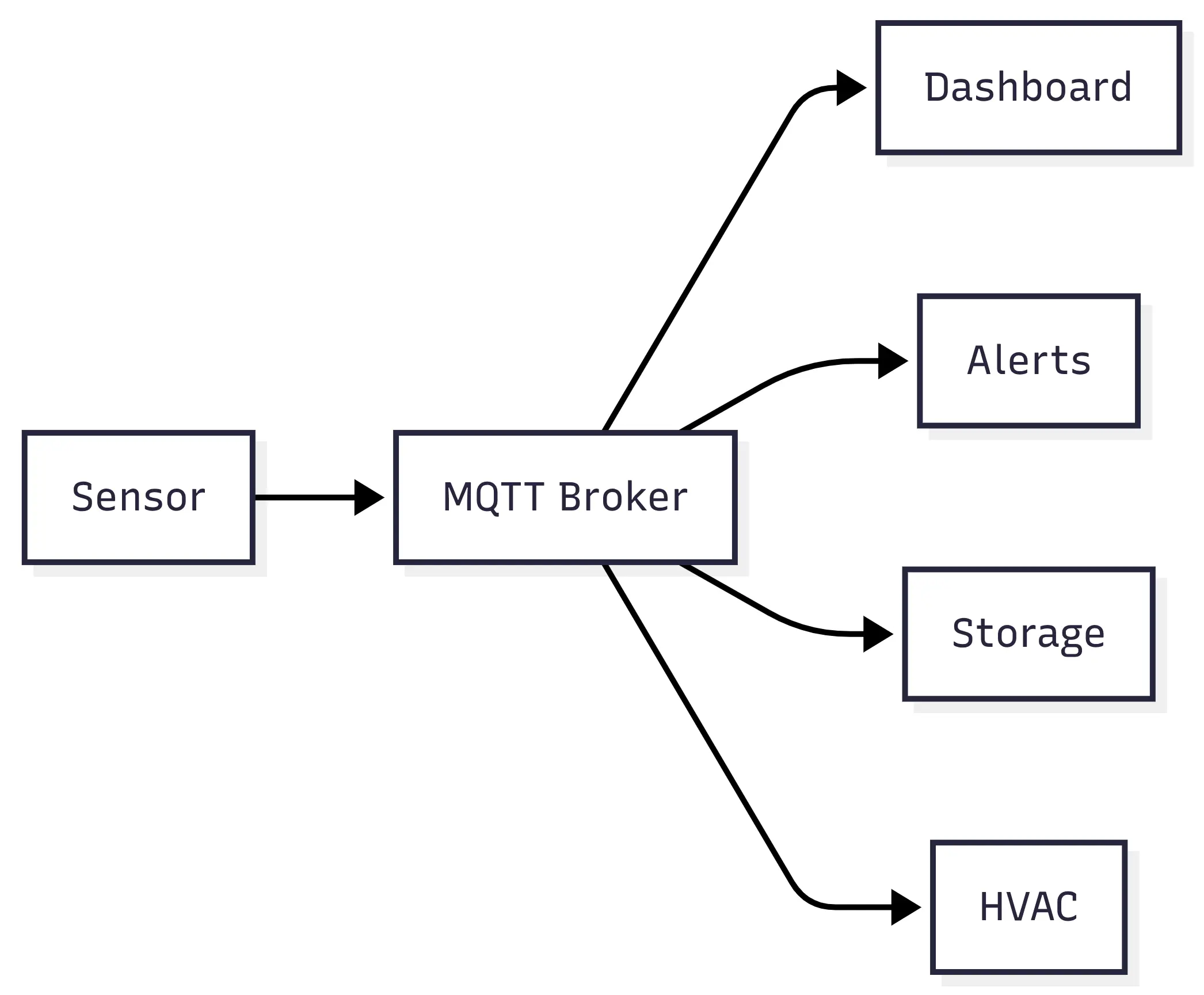
Messages belong to topics.
For example:
building/athens/floor-2/temperatureA sensor publishes:
import mqtt from 'mqtt';

const client = mqtt.connect(
  'mqtts://mqtt.example.com',
  {
    username: process.env.MQTT_USERNAME,
    password: process.env.MQTT_PASSWORD,
  }
);

client.on('connect', () => {
  setInterval(() => {
    const measurement = {
      sensorId: 'temp-42',
      temperature: readTemperature(),
      humidity: readHumidity(),
      measuredAt: new Date().toISOString(),
    };

    client.publish(
      'building/athens/floor-2/environment',
      JSON.stringify(measurement),
      {
        qos: 1,
      }
    );
  }, 30_000);
});
The monitoring application subscribes:
client.subscribe(
  'building/athens/+/environment',
  {
    qos: 1,
  }
);

client.on('message', (topic, payload) => {
  const measurement = JSON.parse(
    payload.toString()
  );

  metricsRepository.store(measurement);
});
The + acts as a topic wildcard.
That means the service could receive:
building/athens/floor-1/environment
building/athens/floor-2/environment
building/athens/floor-3/environment
without subscribing to every floor separately.
MQTT isn't only about IoT
IoT is its most famous use case because MQTT is lightweight and works well when bandwidth and connectivity aren't perfect.
But the interesting idea is the broker.
Publishers don't need to know who consumes their messages.
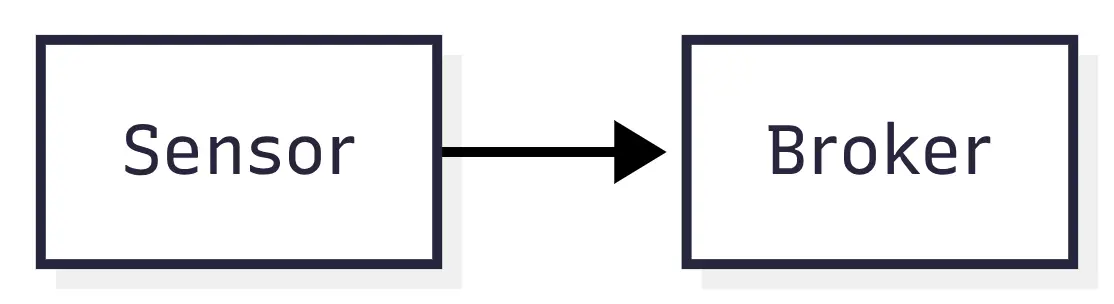
The sensor doesn't care whether one system subscribes or fifteen systems subscribe.
That loose coupling is powerful.
MQTT also has Quality of Service levels.
Roughly:
QoS 0
Send it once. No delivery guarantee.

QoS 1
Deliver at least once.

QoS 2
Deliver exactly once.
Those choices matter when your network might be a flaky mobile connection rather than a stable data centre network.
REST says:
Send this request to that server.
MQTT says:
Publish this information under this topic. Whoever cares can subscribe.
Very different mental model.
9. Long Polling
Before WebSockets became widely practical, developers still wanted real-time-ish applications.
One solution was long polling.
It's easier to understand if we first look at normal polling.
Imagine we're waiting for a video-processing job to finish.
The naive approach might be:
const interval = setInterval(async () => {
  const response = await fetch(
    '/api/videos/video-8392/status'
  );

  const video = await response.json();

  if (video.status === 'completed') {
    clearInterval(interval);
    showVideo(video);
  }
}, 3000);
Every three seconds:
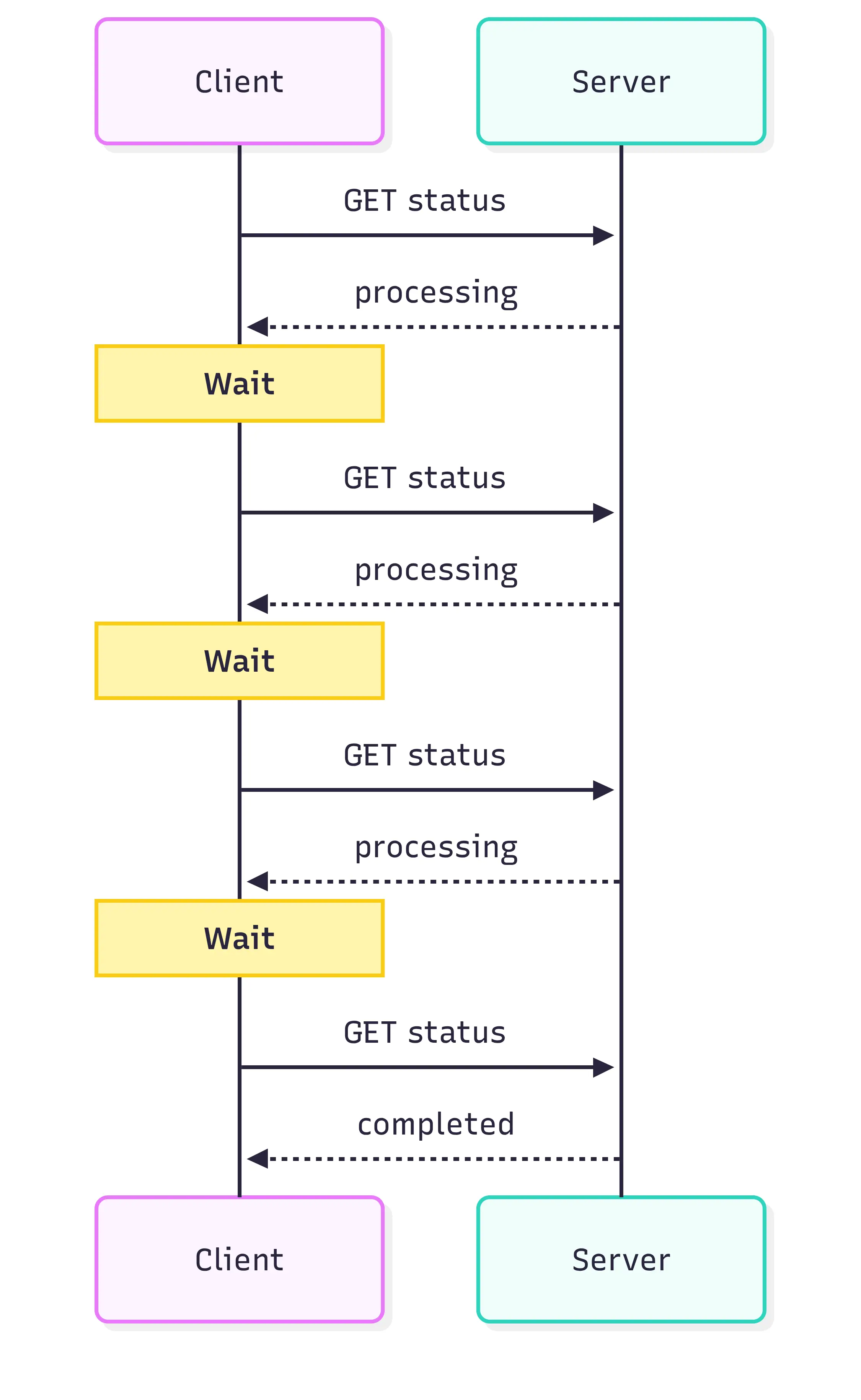
That's polling.
Most requests don't tell us anything useful.
Long polling changes one important thing.
The server doesn't immediately respond when nothing changed.
Instead:
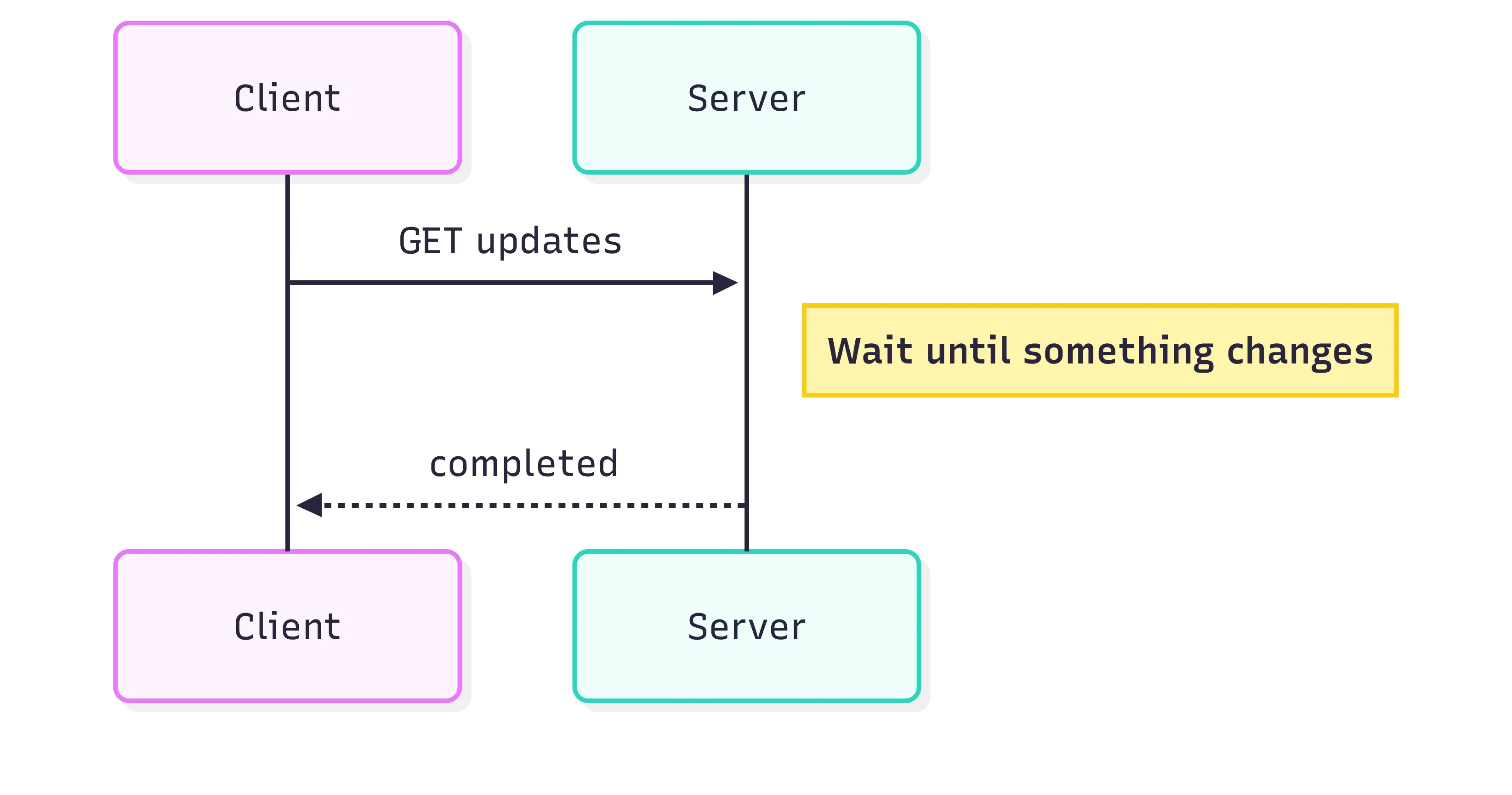
The client then opens another request.
async function watchVideo(videoId) {
  while (true) {
    try {
      const response = await fetch(
        `/api/videos/${videoId}/updates`
      );

      if (!response.ok) {
        throw new Error('Update request failed');
      }

      const update = await response.json();

      updateVideoStatus(update);

      if (update.status === 'completed') {
        return;
      }
    } catch (error) {
      // Don't hammer the API if the connection drops.
      await new Promise(resolve =>
        setTimeout(resolve, 2000)
      );
    }
  }
}
On the server, the request might wait until either something changes or a timeout is reached.
app.get('/api/videos/:id/updates', async (req, res) => {
  const videoId = req.params.id;
  const knownVersion = req.query.version;

  const update = await waitForVideoChange({
    videoId,
    knownVersion,
    timeout: 25_000,
  });

  if (!update) {
    return res.status(204).end();
  }

  res.json(update);
});
Why would anyone use this when SSE and WebSockets exist?
Compatibility can be one reason.
Some infrastructure doesn't behave nicely with persistent connections. Existing systems may already use long polling. Certain network setups may make it easier to work with ordinary HTTP requests.
It's not usually my first choice for a new real-time feature.
But understanding it is useful because you'll still encounter it.
There's also an architectural lesson here.
Long polling isn't normal polling with a bigger interval.
They're different.
Normal polling repeatedly asks:
Anything new?
Long polling asks once:
Tell me when there's something new.
That's a much better way to remember the difference.
10. WebRTC
WebRTC is where things become quite different.
Imagine we're building video calls directly in the browser.
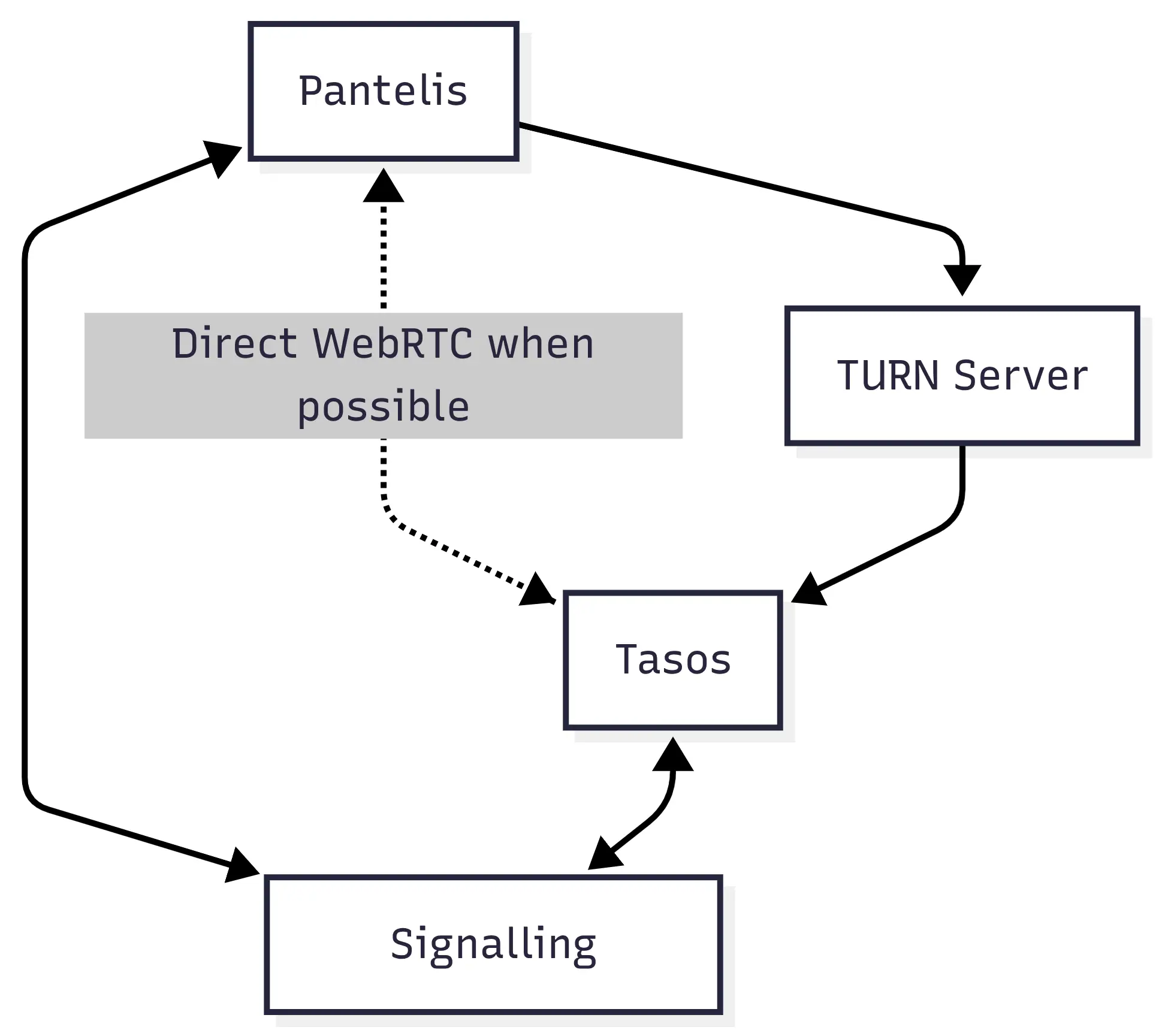
Pantelis calls Tasos.
A naive architecture might send every video frame through our application server.

That gets expensive quickly.
Video generates a lot of data.
WebRTC tries to establish direct communication between peers.

The browser exposes this through RTCPeerConnection.
A simplified start might look like:
const connection = new RTCPeerConnection({
  iceServers: [
    {
      urls: 'stun:stun.example.com:3478',
    },
  ],
});

const stream = await navigator.mediaDevices.getUserMedia({
  video: true,
  audio: true,
});

for (const track of stream.getTracks()) {
  connection.addTrack(track, stream);
}
Pantelis creates an offer:
const offer = await connection.createOffer();

await connection.setLocalDescription(offer);

signalingSocket.send(
  JSON.stringify({
    type: 'offer',
    callId: 'call-8392',
    targetUserId: 'user-204',
    offer,
  })
);
Tasos receives it through a signalling system.
await connection.setRemoteDescription(
  message.offer
);

const answer = await connection.createAnswer();

await connection.setLocalDescription(answer);

signalingSocket.send(
  JSON.stringify({
    type: 'answer',
    callId: message.callId,
    answer,
  })
);
The peers also exchange ICE candidates.
connection.addEventListener(
  'icecandidate',
  event => {
    if (!event.candidate) {
      return;
    }

    signalingSocket.send(
      JSON.stringify({
        type: 'ice_candidate',
        callId: 'call-8392',
        candidate: event.candidate,
      })
    );
  }
);
Eventually, if networking conditions allow it, media can flow between the peers.
But there's a misleading description of WebRTC that appears often:
Peer-to-peer. No server required.
That's not quite right.
WebRTC still needs servers
The two browsers need some way to discover each other and exchange connection information.
That's signalling.
WebRTC doesn't define how signalling must happen.
You could use:
WebSocket
REST
SSE
some existing messaging system
WebSockets are common.
Then there's NAT.
Pantelis's laptop might have:
192.168.1.24Tasos can't exactly send packets to that address over the internet.
STUN servers help peers discover their public network information.
And sometimes direct peer-to-peer communication simply isn't possible.
Corporate networks, firewalls and NAT configurations can get in the way.
That's where TURN comes in.

Now traffic does go through a server.
So a more realistic architecture looks something like:
WebRTC can also transfer arbitrary data, not just audio and video.
const channel = connection.createDataChannel(
  'file-transfer'
);

channel.addEventListener('open', () => {
  channel.send(fileChunk);
});
That makes browser-to-browser file sharing possible too.
WebRTC is powerful, but it's one of the more complex technologies on this list. You have signalling, ICE, STUN, TURN, media devices, codecs and connection states to deal with.
For video calls, voice calls and peer-to-peer data transfer, that complexity can be worth it.
For updating an order status?
Definitely not.
Putting all ten next to each other
At this point the important differences should be clearer.
| Style | Typical direction | Connection | Data | Good fit |
|---|---|---|---|---|
| REST | Client <-> Server | Short-lived | Usually JSON | CRUD and public APIs |
| GraphQL | Client <-> Server | Usually short-lived | GraphQL response | Complex frontend data |
| gRPC | Service <-> Service | HTTP/2 | Protocol Buffers | Internal services |
| WebSocket | Client <-> Server | Persistent | Text/Binary | Interactive real-time |
| SSE | Server -> Client | Persistent | Text events | Streams and notifications |
| Webhooks | Server -> Server | Event-driven HTTP | Usually JSON | Third-party integrations |
| SOAP | Client <-> Server | Request/response | XML | Enterprise and legacy |
| MQTT | Publisher -> Broker -> Subscribers | Persistent | Messages | IoT and pub/sub |
| Long Polling | Server -> Client | Repeated HTTP | Any HTTP data | Compatibility cases |
| WebRTC | Peer <-> Peer | Persistent | Media/Binary | Calls and P2P |
That table is useful, but there's still a problem.
It makes these approaches look like alternatives.
Often they aren't.
The same feature implemented five different ways
Consider order tracking.
The user places an order and sees:
Order confirmed

Preparing order

Shipped

Out for delivery

Delivered
There are several ways we could implement that.
REST polling
The frontend asks periodically:
setInterval(async () => {
  const response = await fetch(
    '/api/orders/8392'
  );

  const order = await response.json();

  renderOrderStatus(order.status);
}, 10_000);
Simple.
But we're generating requests even when nothing changes.
For an order that takes three days to arrive, "real-time" updates every ten seconds would also be ridiculous.
A longer interval might be perfectly fine.
That's an important point.
Not everything needs real-time infrastructure.
Long polling
Instead of checking constantly:
GET /orders/8392/updateswaits until the order changes.
The browser receives:
{
  "status": "shipped"
}
Then opens another request.
Better latency without constant empty polling requests.
Server-Sent Events
The browser keeps an event stream open:
const events = new EventSource(
  '/api/orders/8392/events'
);

events.addEventListener('status', event => {
  const update = JSON.parse(event.data);

  renderOrderStatus(update.status);
});
Now the server pushes updates.
For this use case, SSE fits nicely because the browser doesn't need a constant two-way conversation.
WebSockets
We could also use:
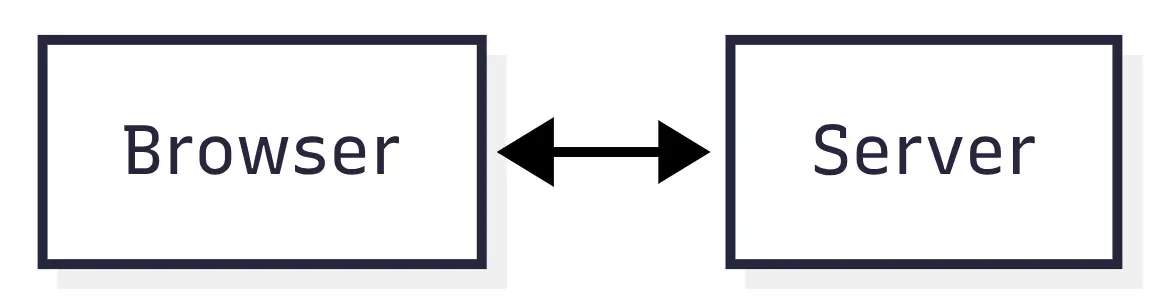
This makes more sense if order tracking is part of a bigger real-time system.
Maybe the application already has a WebSocket connection for:
notifications
support chat
live inventory
delivery location
Opening a separate SSE connection might not buy us much.
We can reuse the WebSocket infrastructure.
Webhooks
There's another side to the feature.
How does our backend know that DHL, UPS or another shipping provider changed the order status?
Possibly:

Now we're using two communication styles for one feature.
And that's completely normal.
A real application might use six of these at once
This is probably the biggest thing I'd take away from the whole comparison.
You don't choose:
REST or WebSockets?
for your entire application.
You choose how each interaction should work.
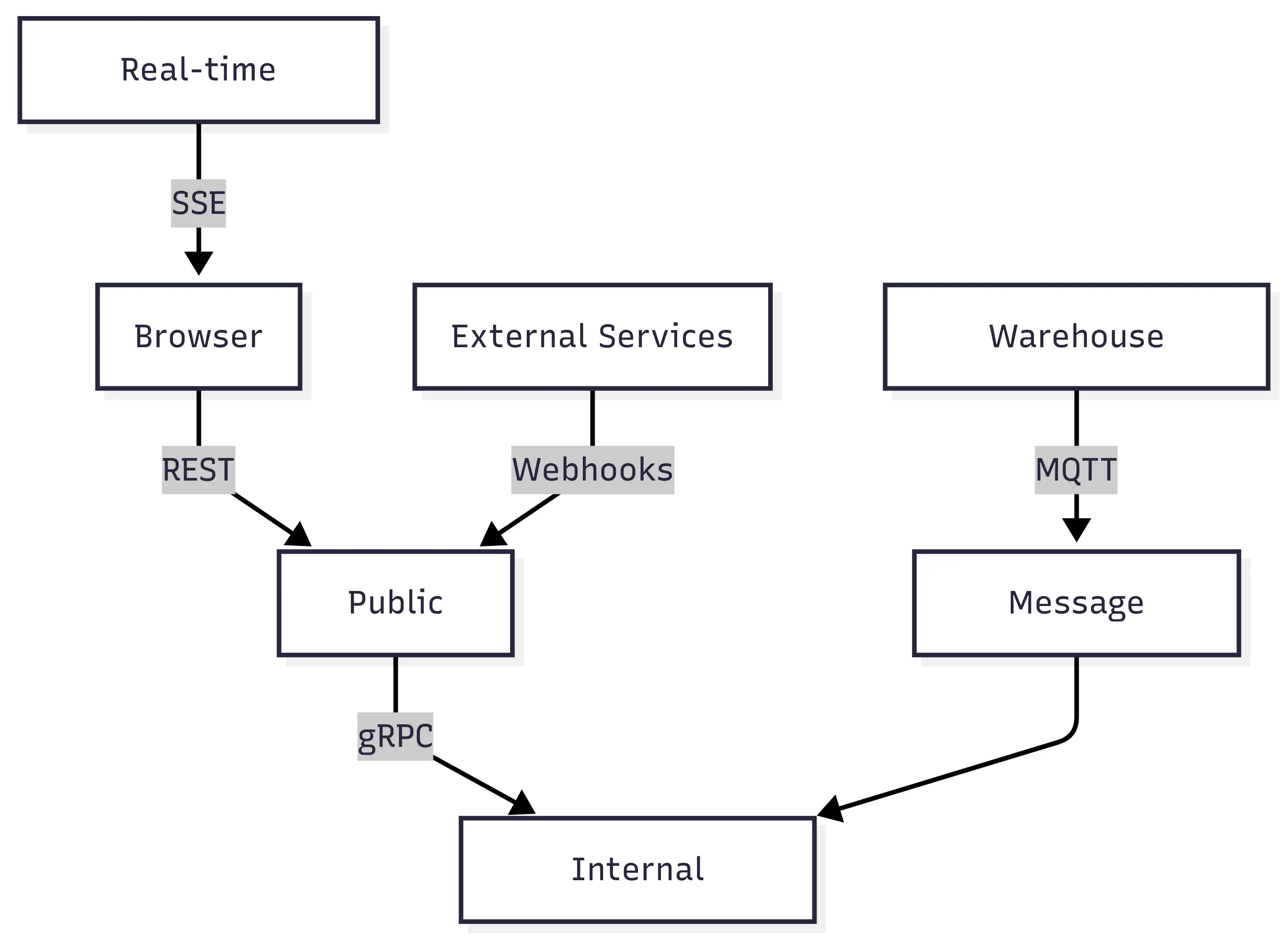
Imagine a fairly large commerce platform.
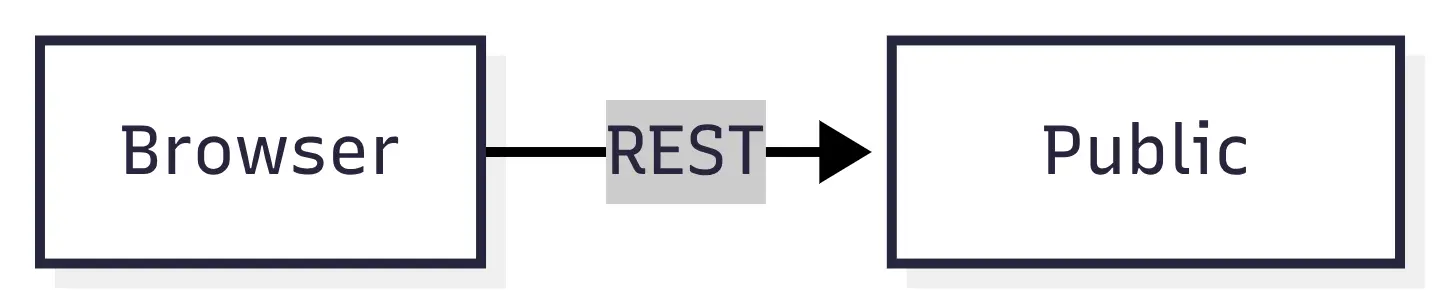
The frontend might use REST:
Internal services might use gRPC:

Stripe might notify the application through webhooks:

Live warehouse updates might use MQTT:

Customer support might use WebSockets:

And an AI-generated product description feature might stream tokens using SSE.
Put together:
There's nothing wrong with that architecture simply because it uses several communication models.
Quite the opposite.
Trying to force everything through one model can create stranger systems.
So which one should you choose?
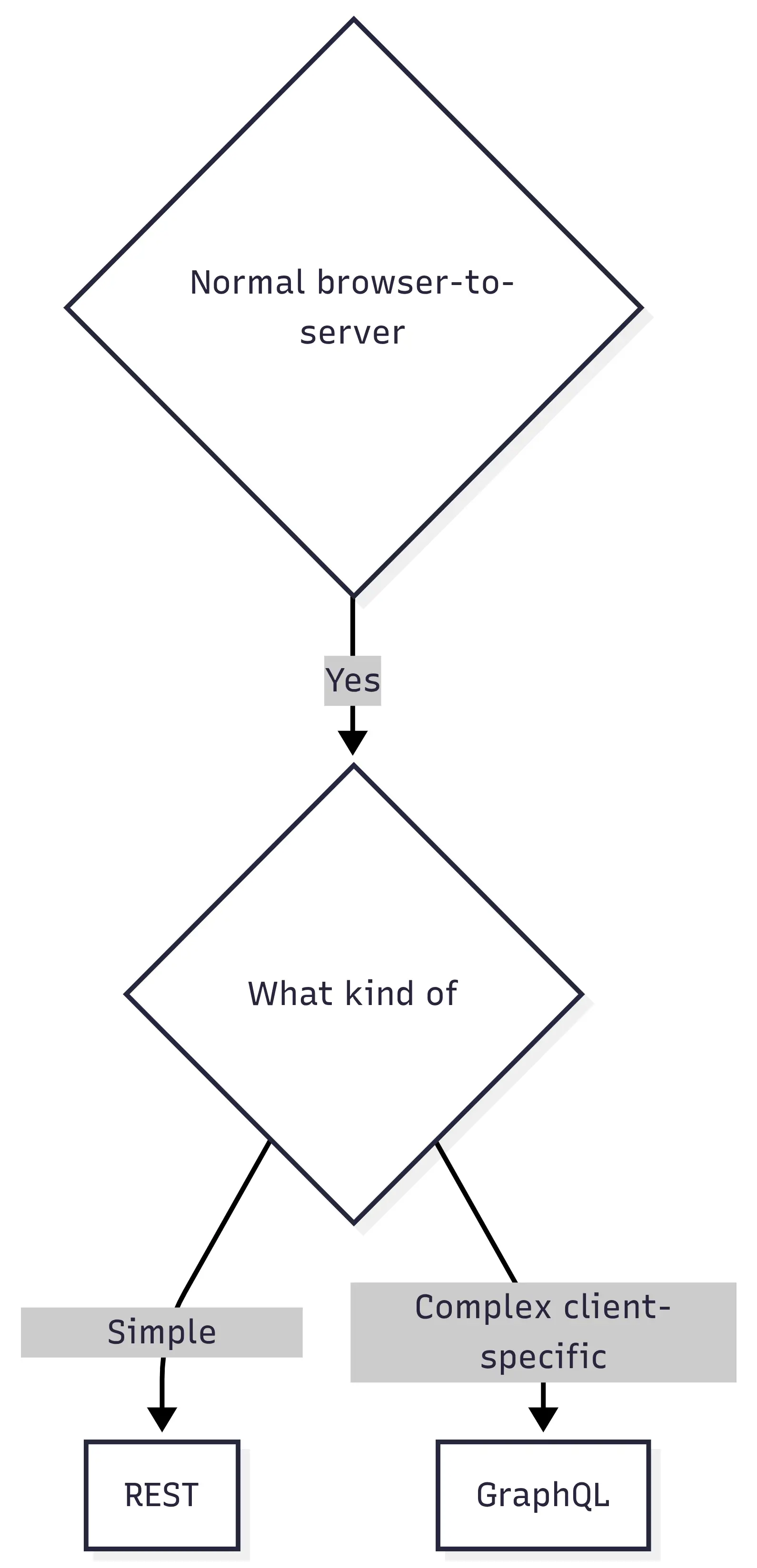
There's no flowchart that can make the decision for every system, but we can get surprisingly close.
Start with the most common case.
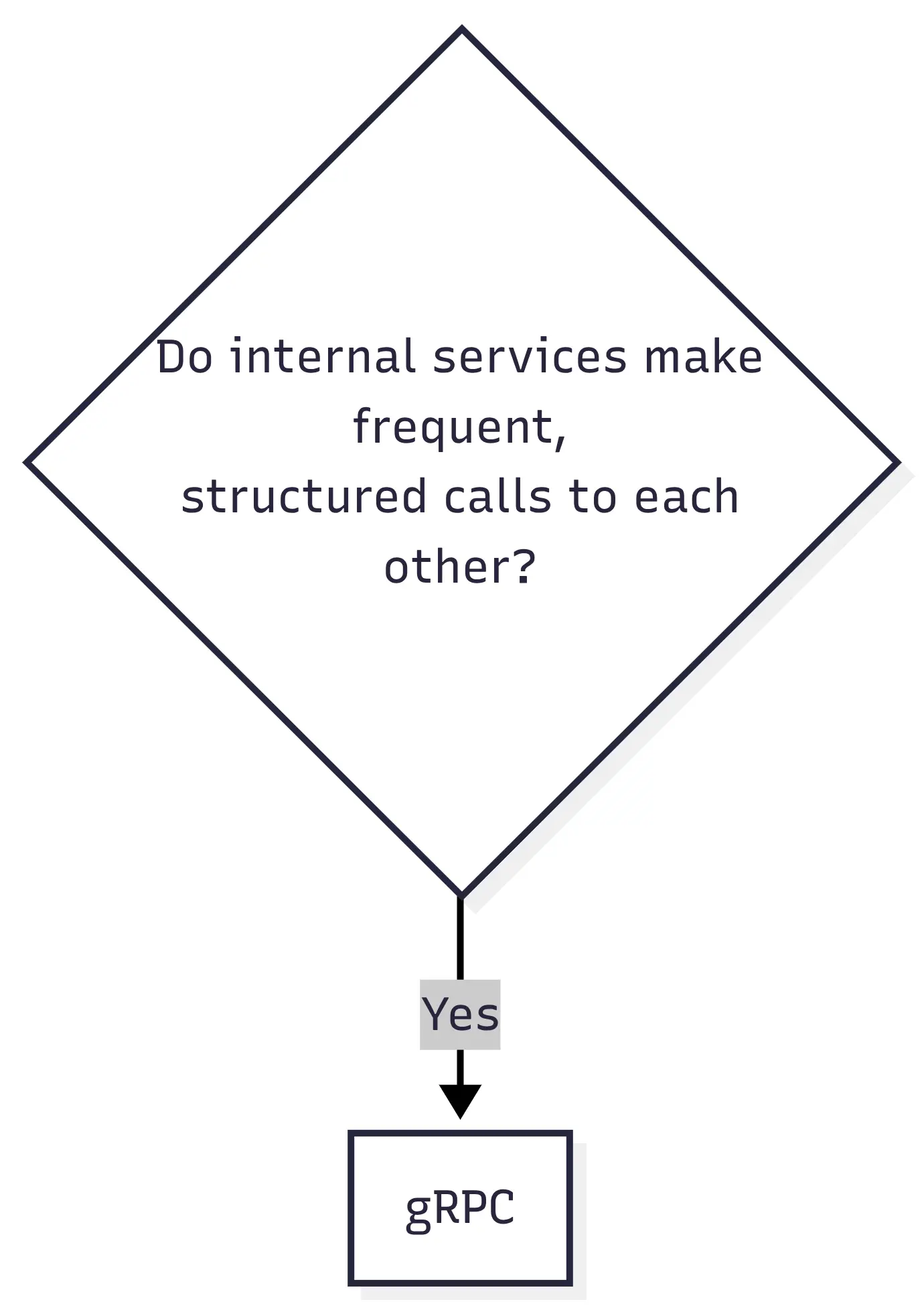
If it's backend-to-backend communication:
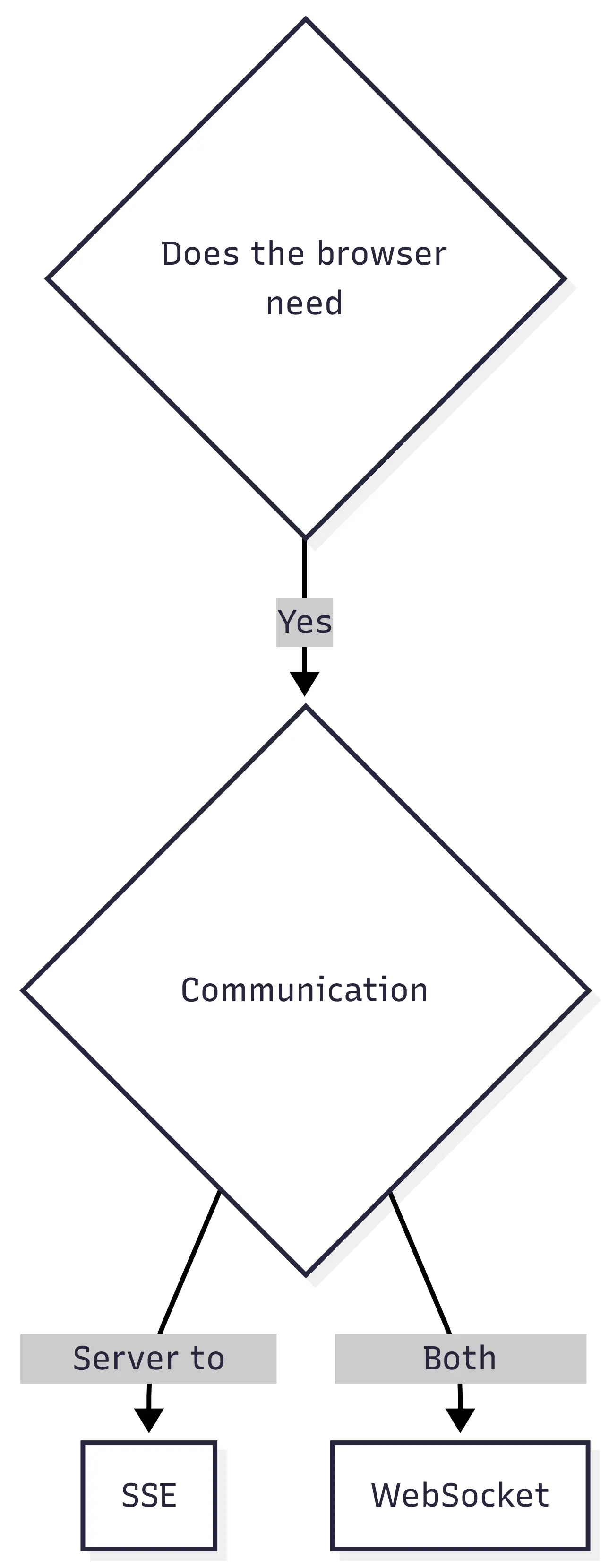
If the server needs to push information:
If another company needs to tell your backend something:

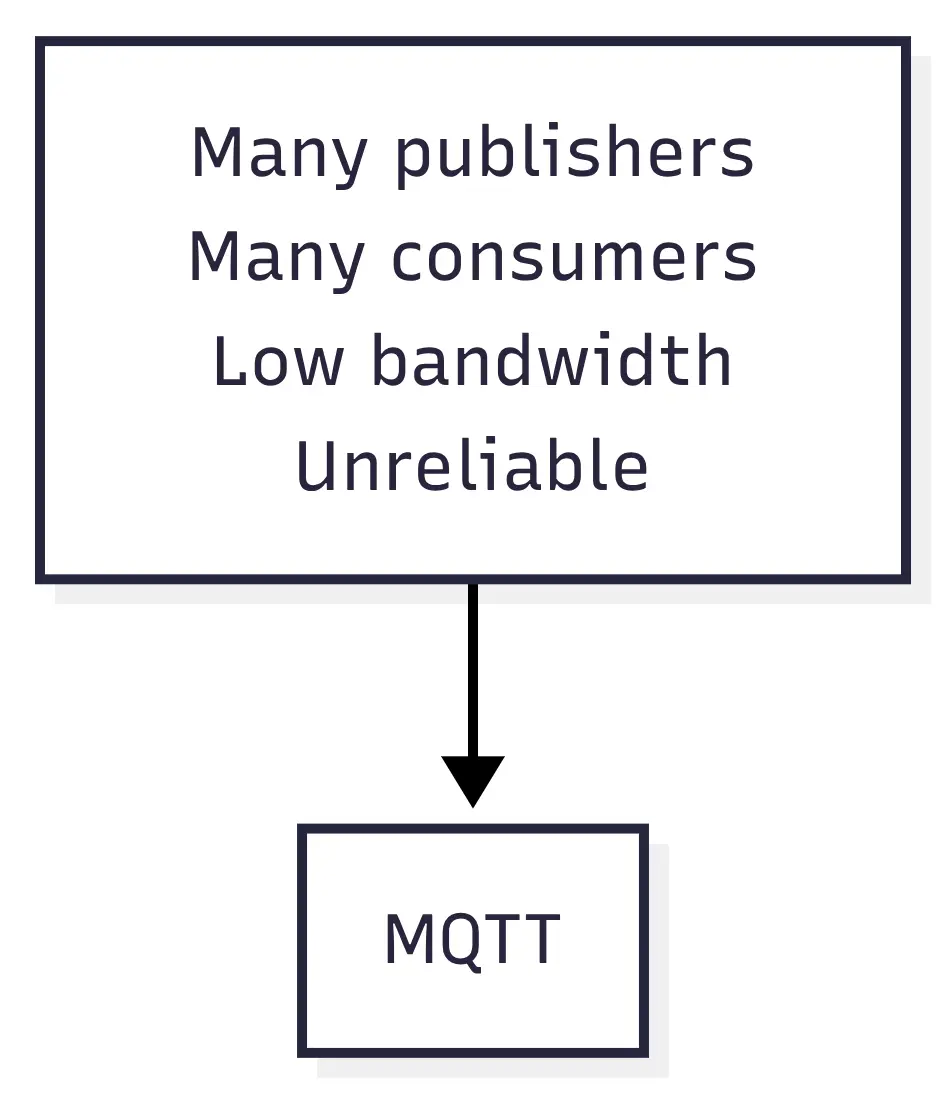
For device messaging:
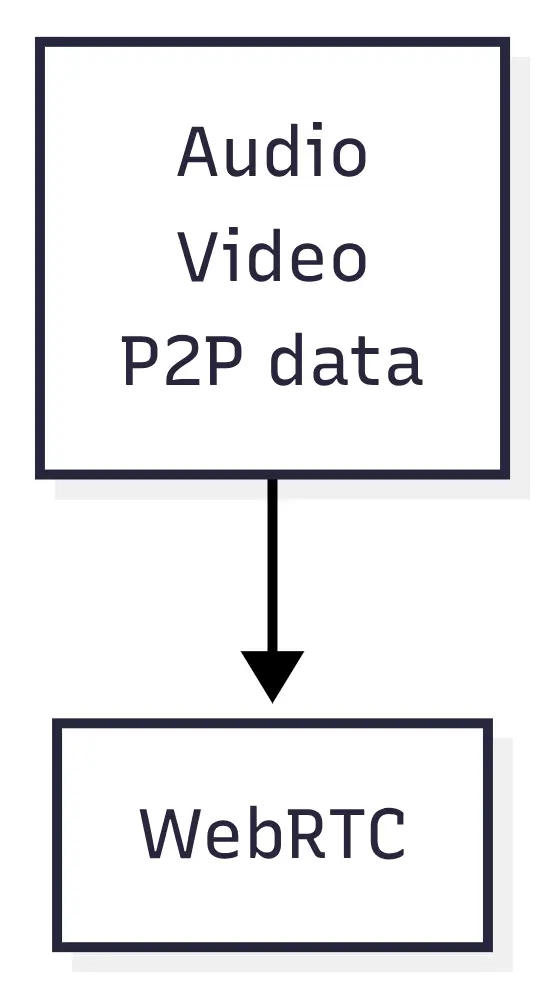
For peer communication:
And if a bank emails you a WSDL file?
Well.
SOAP has entered the chat.
Don't choose based on what's fashionable
There's a recurring pattern in software architecture where a new tool arrives and suddenly every existing approach is supposedly obsolete.
GraphQL didn't kill REST.
WebSockets didn't make SSE pointless.
gRPC doesn't mean every internal API should stop using HTTP and JSON.
MQTT isn't a better REST.
They're solving different problems.
Even polling, which developers love to dismiss, can be the right answer.
Suppose a dashboard needs to update a statistic every five minutes.
You could build:
WebSocket infrastructure
Redis Pub/Sub
connection management
reconnection logic
load balancer configuration
real-time monitoring
Or:
setInterval(refreshStats, 300_000);I'd probably take the second option.
Architecture isn't about selecting the most advanced technology available.
It's about paying for complexity only when the problem actually requires it.
The communication pattern matters more than the name
If I had to reduce all ten approaches to one mental model, I'd think about them like this.
REST gives you resources over request/response HTTP.
GraphQL gives the client control over the shape of requested data.
gRPC gives services fast, contract-driven remote calls.
WebSockets give both sides a persistent two-way connection.
SSE gives the server a simple persistent stream to the client.
Webhooks let another system call you when something happens.
SOAP gives you strict XML-based enterprise service contracts.
MQTT gives you lightweight publish/subscribe messaging through a broker.
Long polling lets the server hold an HTTP request until something changes.
WebRTC gives peers direct media and data communication when the network allows it.
Once you think about the communication itself, choosing between them gets easier.
Don't start with:
Should we use GraphQL?
Start with:
What information needs to move, who needs it, who knows when it's ready, and how quickly does the other side need to receive it?
That question tends to lead to much better architecture.
And sometimes the answer really is just:
GET /api/orders/8472There's nothing wrong with boring when boring solves the problem.