Copy to Clipboard with JavaScript
Use the Async Clipboard API for text and images. HTTPS required, permissions matter, and `execCommand` is dead weight now.
"Copy code" buttons show up on docs, dashboards, recovery keys. Users shouldn't have to select text by hand.
We used document.execCommand('copy'). It was sync, flaky on long strings, and permission behavior varied by browser. The Async Clipboard API fixes most of that.
Security basics
Clipboard access is sensitive. Rules you'll hit:
HTTPS only (localhost is fine). Tab must be active. Reads need explicit permission; writes are a bit looser but still gated.
Permission names you'll see: clipboard-write, clipboard-read. Check with navigator.permissions when debugging.
navigator.permissions.query({ name: "write-on-clipboard" }).then((result) => {
  if (result.state == "granted" || result.state == "prompt") {
    console.log("Write access granted!");
  }
});
Copy text
export const App = () => {
  const copyText = async () => {
    try {
      await navigator.clipboard.writeText("Some text to copy");
      console.log("Clipboard content has been copied.");
    } catch (error) {
      console.error("Failed to copy content to clipboard.");
      console.log(err.name, err.message);
    }
  };

  return (
    <div className="wrapper">
      <button className="btn" onClick={copyText}>
        copy text
      </button>
    </div>
  );
};
Copy images
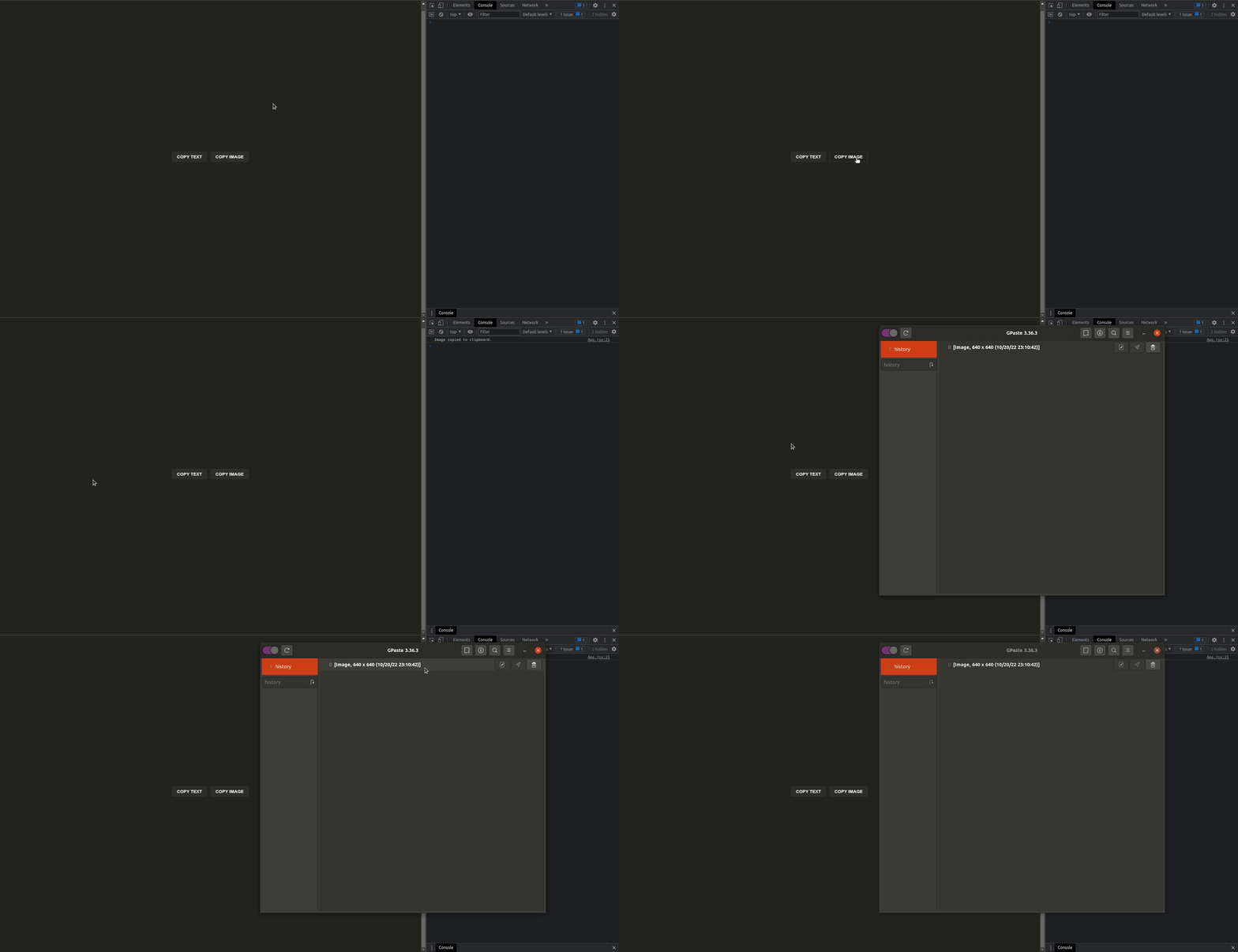
write() takes an array of ClipboardItem objects:
export const App = () => {
  const copyImage = async () => {
    try {
      const response = await fetch("/logo-with-shadow.png");
      const blob = await response.blob();
      await navigator.clipboard.write([
        new ClipboardItem({
          [blob.type]: blob,
        }),
      ]);
      console.log("Image copied to clipboard.");
    } catch (error) {
      console.error("Failed to copy image to clipboard.");
      console.log(error.name, error.message);
    }
  };

  return (
    <div className="wrapper">
      <button className="btn" onClick={copyImage}>
        copy image
      </button>
    </div>
  );
};
Browsers sanitize HTML and block weird PNG bombs. Support for MIME types still varies. Test your target browsers.
Don't copy secrets you don't need. Tell users when something landed on the clipboard. Simple, but easy to forget.